





Intensive Stain Removal

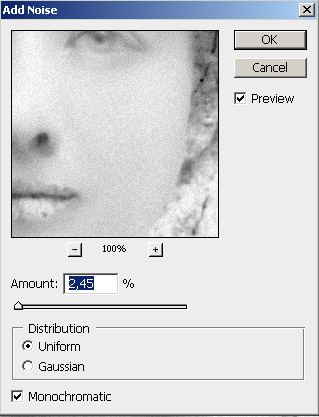
.Now we add some noise to simulate skin texture:
Use: Filter -> Noise -> Add Noise:
- Distortion: Uniform;
- Amount: 2,45;
- Monochromatic.
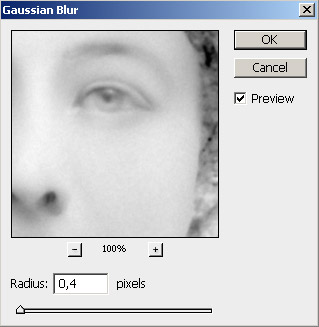
- Radius: 0,4 px .
Reduce noise effect by choosing :
Filter -> Blur -> Gauss Blur:
*****************************************************************************
Now we are ready to apply a History Brush to our image.

- Set last action “ Gaussian Blur “ as source for the History Brush;
- Return to top using the History Palette to a “ Curves “ state;
- Paint on the image with History Brush,


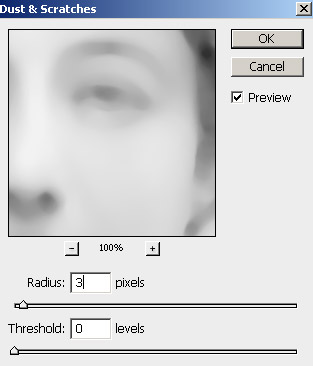
In the step we selectively apply Dust an Scratches filter to fix the eyes , lip and nose,
Use: Image -> Noise -> Dust and Scratches:
- Radius: 3px:;
- Threshold: 0px.

background replacement :
1 | 2